Homeworks, as stated in the syllabus, are broken into 2 main sections (3 if you count the Optional Homework since it will also be found on this page at the bottom). The first is the written portion of the homework.
The written portion of the homework is called the "written" portion, not because it actually will require you to being "writing" all the time (such as short response, essays, papers, etc) but because it is most easily done with some type of writing utensil. For instance I might actually ask you to perform any number of task to complete this portion, such as (but not limited to): Drawing images, filling in blanks, showing all steps pertaining to a calculation, matching, coloring (Yes actually coloring you'll see in Graph Theory), or even something odd like performing an interview (not planning on this, but maybe It could come around somewhere).
The written portion of a HW will be totally personalized to the standard we are working on as different topics may require different forms of practice or engagement to become proficient in them. So unfortunately I cannot promise all Written Portions will look the same, only that they will all probably need you to pick up something to write with.
The second, programming portion of the Homework, since it can't exist purely here on my site, will be in Github Repositories given through Github Classroom. I will give a description of each of the files on this page (if there happens to be more than one) and will give you extra information describing the assignment when necessary. For convenience I will also point out where, and which, files have TODO sections in them so that you don't have to go "digging" to complete your homework.
While the previous "written" portion is far more open ended in scope, the programming portion is not. You will always simply be given an existing repository and then you will be directed to fill in the "skeleton". This does NOT mean I won't ever ask you to do things, like making your own function, class, or other advanced data structures, just that It will be clear where and what you are trying to do and I won't ask you to perform "design" level work. What I mean by that is I will never ask you to "architect" an entire repository from scratch on your own. I may ask you to import and use certain libraries if that becomes necessary for an assignment (Some massive libraries in CS the department regularly uses are SciKitLearn, Pandas, NumPy, PyGame, PyTorch, SimPy, and maybe a few more I can't remember right now). However, if we do need a library then I will provide a short additional explanation about how to use it on the Homework page it is relevant to.
At the bottom of most homeworks you will find the optional homework for the previous standard. These are creative endeavor/real-world uses and they are always open ended and available for modification to fit a passion of yours! That portion of the site will almost always be smaller and will give guidance on what your are trying to do with your creative endeavor to ensure you gain points. Most of it will be made of up "ideation" or "brainstorming" for what you could do to get you "creative juices flowing".
Now that we've described what homeworks look like at a high level, lets meet your practice homework, which features all 3 sections described above!
This homework assignment is about letting me learn a little about you! The questions I asked here are important to me as they give me a "feel" for who I'm talking to in class. As I said in class I am very conversational and you can't have a proper conversation with someone you know nothing about! I mean you can, they just aren't as fun!
This will be the only time you have to answer more questions than you'll be able to receive points. These questions are not graded for "accuracy" however, so as long as you submit a response to all of them (And it doesn't need to be extensive) you will get your special point for this section.
NOTE!!!: This section asks for personal information! I will never use anything you put in this section to identify you on official documents, during lectures, or other official material. I may however use this information to enrich the course experience by mentioning information you put here ANONYMOUSLY. As an example, in lecture I might say, "For those of you that may have an interest in (potential information you shared), there is an amazing application of this topic! Heres how it connects..." If you are NOT comfortable with this happening, refrain from putting such information in the answers to these questions.
Do you have any previous experience with Discrete Mathematics? If so, give me a brief insight into some of the topics you've seen before or even just things you've heard of (This will not be held against you. For example, if you say you're already an expert in graph theory in this section I will still teach it to you from scratch). If you don't have any prior experience, take a guess as to what you think the course material will be about!
What is your previous experience with programming? None is totally OK! (If you took it in a class here at LMU I'd love to know the name!)
What is a non-tech related hobby of yours? (I will use this information during lecture to see if I can mention how course material may tie into these hobbies or to help with the brainstorming for the creative experience optional homeworks!)
Is there anything on the course site that you noticed is hard to engage with or prevented you from easily accessing material? Is there anything you'd like to see changed, added, or altered? (Think web design. I will use any information you put here as an "Idea" jar for adding features to the website)
Do you have any additional questions about me or this course that you came up with after class? (If you don't have any put something along the lines of "N/A" or "Nope", don't leave it blank)
Once you have completed all these questions, submit the answers to me on BrightSpace using the submission button at the top of this section!
For the programming section of this homework we will be getting used to the flow of receiving our code skeleton as a template repository from GitHub Classroom.
The content of this homework will be to make a PyTest unit test pass. It is a very simple problem, since we are only trying to get familiar with the process of receiving, completing, and turning in HW.
NOTE!!! Past this point make sure you are signed into the github account you wish to use for schoolwork. If you have multiple, make sure you do not have the wrong one signed in as your account will be attached to my class from then on!
ANOTHER NOTE!!! If at any point you are following the instruction down below and are finding it difficult, you don't remember how this works, or you've never done this before; I have made a video tutorial displaying the entire process from start to finish on Brightspace! A link to it is provided below:
Below you will find an amazing guide designed by Dr. Forney that helps get all your software in order! He likes using MyPy which is an additional feature library that we do NOT need for this course so feel free to ignore that portion of the guide, but installing it anyway is good for the future and won't interfere with our course material.
Your repository will contain the following files:
CMSI-2820-HW0/
āāā .gitignore
āāā questions.py
āāā README.md
āāā test_questions.py
Since, via GitHub Classrooms rules, you are joining the class for the first time you will be prompted to identify yourself. It should be pre-populated with everyone's names and all you need to do is find yours and select it, then you can accept the HW assignment and it will automatically make a repository for you on GitHub. If you manage to select the wrong name it will bind you to that name, meaning you become that individual. If this happens on accident, email me so that I can unbind you from that name and you can try again. (Don't get this wrong otherwise you are violating LMU policy on classroom behavior! Remember? Nothing illegal, and this is Identity Fraud! Luckily I can bail you out, but I won't always be able to...)
Once you've accepted the assignment, clone the repository locally to your device and use the IDE of your choice to edit the file to pass the unit test.
To run the unit test, open a terminal (VSCode's built in terminal is convenient here), ensure your working directory is on the same "level" as the Python files, and type the pytest command into your terminal and hit enter. If the command is not found make sure to install it via Python's Package Manager "pip" by doing pip install pytest and then try again. If that still doesn't work, it means the terminal doesn't have the command aliased, which is ok! Just run this command instead python -m pytest
Tip: Keep in mind that your terminal lives in your devices file structure system! The level you are on refers to the depth of the folder you are in! If you aren't sure where you terminal instance is located, use
pwd(print working directory) to see which folder you are in. If you aren't in the right spot remember to usecd(change directory) to navigate to the correct folder (We want pwd to display that we are in the cloned repo folder made by the git clone operation!)!
Once you are passing all the tests make sure to use your git commands to add your changes, commit them, and then push them to the cloud repository so I can grade it! This is "turning in the code" to me so I can grade. However, as an extra step, go to brightspace and find the "Programming" HW0 assignment and just turn in a small message as an indicator to me you are done! (I need you to do this so I can track what time YOU say you finished your HW! Otherwise, I might accidentally take points away thinking you turned it in on Sunday! Save those 25 points!)
You can find the GitHub Classroom assignment link and the Brightspace turn in link using the buttons at the top of this section.
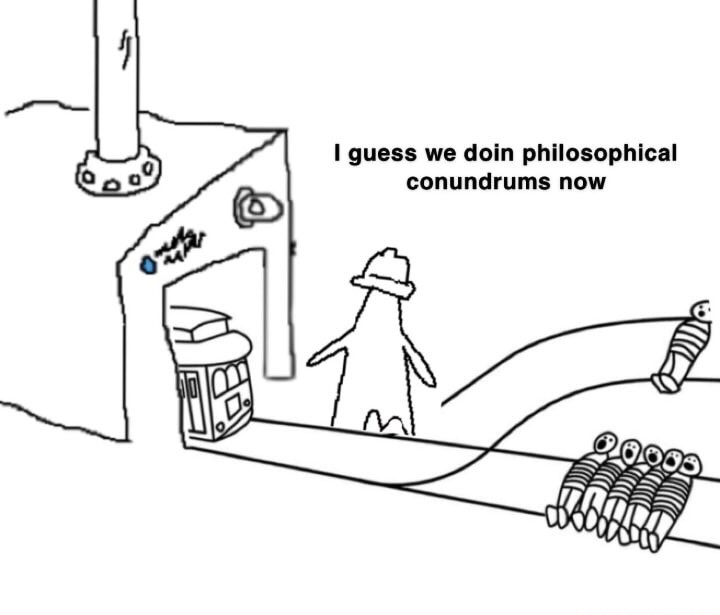
The creative endeavor I'd like you to embark on for this homework is simple. Since this Homework has all been about you, I'd like you to submit to me something you identify with. Whether its an arts and crafts project you are working on, a painting you are making, a game you love to play, a meme account you like to follow, a video of a search algorithm you like to watch work, or anything that you publicly enjoy are fine sharing with me.
Whatever it happens to be, give me a snap shot of it with no explanation. Just send a picture, a pdf, or whatever format Brightspace will let you turn in. As an example I have provided a meme that a student showed me that I probably laughed a little too hard at. Do this, and you get your special point!

Submit your creative share using the submission button at the top of this section!